

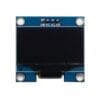
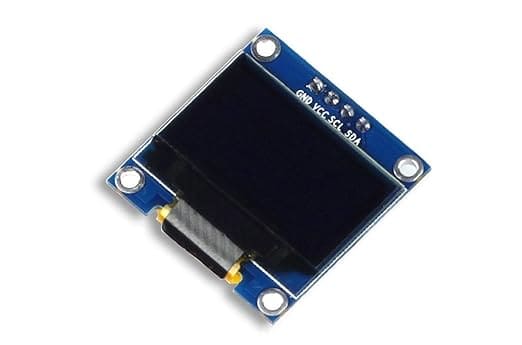
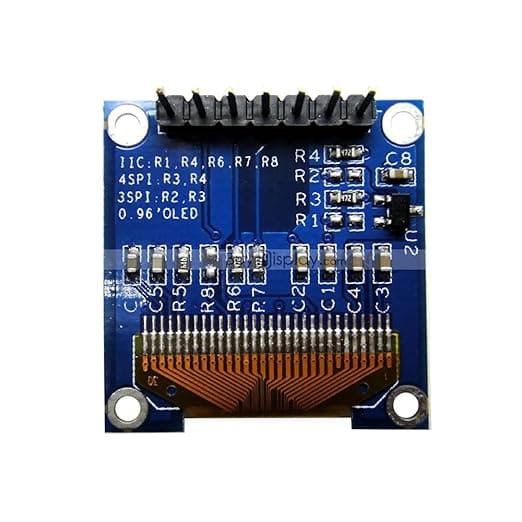
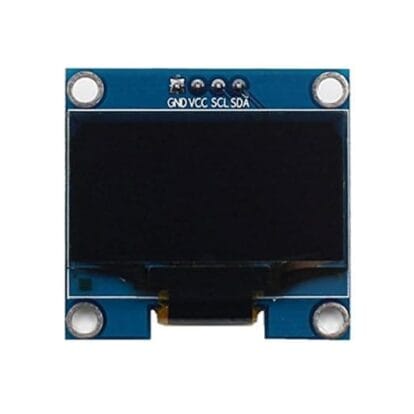
0.96″ Blue I2C OLED Display Module (128×64)
₹315.00Current price is: ₹315.00. Original price was: ₹669.00.
Elevate Your Projects with Crisp Visuals
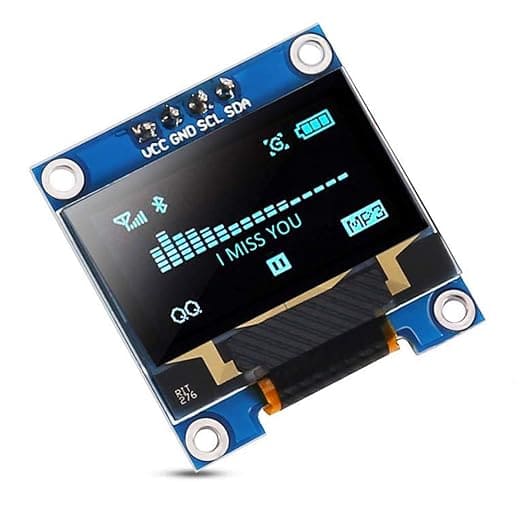
The 0.96″ Blue I2C OLED Display Module (128×64) is a compact, high-contrast graphical screen designed to give your DIY electronics and IoT applications a sleek, professional edge. Powered by the reliable SSD1306 driver IC, it delivers vibrant, razor-sharp blue graphics without crowding your microcontroller pins.
Why Choose This OLED Module?
True Black Contrast: Organic LED technology illuminates individual pixels without a bulky backlight, resulting in deep contrast and an ultra-thin profile.
Simple 4-Pin Wiring: Uses the I2C protocol (SDA/SCL), requiring only two data pins from your development board.
Ultra-Wide View: Read critical telemetry and real-time metrics clearly from any angle up to 160°.
Universal Compatibility: Works seamlessly out-of-the-box with Arduino, ESP32, ESP8266, and Raspberry Pi via popular libraries like Adafruit SSD1306 and U8g2.
Perfect For: Smart weather stations, customized portable diagnostics meters, robotics telemetry dashboards, and miniature user menus.
8 in stock
Add to cart
Buy Now

0.96″ Blue I2C OLED Display Module (128×64)
Give your DIY electronics and IoT projects a sleek, professional visual interface with the 0.96″ Blue I2C OLED Display Module (128×64). This compact and high-performance graphical display is engineered to deliver crisp, sharp, and vibrant visuals without crowding your microcontrollers. Powered by the industry-standard SSD1306 driver IC, it is the ultimate choice for makers, students, and professional engineers building next-generation embedded systems.
Unlike traditional, bulky liquid crystal displays (LCDs), this module utilizes cutting-edge Organic Light-Emitting Diode (OLED) technology. Because individual pixels illuminate themselves, it requires no backlight, resulting in deep contrast, ultra-low power consumption, and a razor-thin form factor that fits seamlessly into portable electronics.
Key Features & Advantages
Brilliant High-Contrast Display
The 0.96″ Blue I2C OLED Display Module (128×64) features a vivid monochrome blue output spread across a dense grid of $128 \times 64$ pixels. The lack of a backlight means black pixels are truly turned off, yielding a stunning contrast ratio that keeps text, numbers, and custom icons legible under various lighting conditions.
Seamless I2C Protocol Connectivity
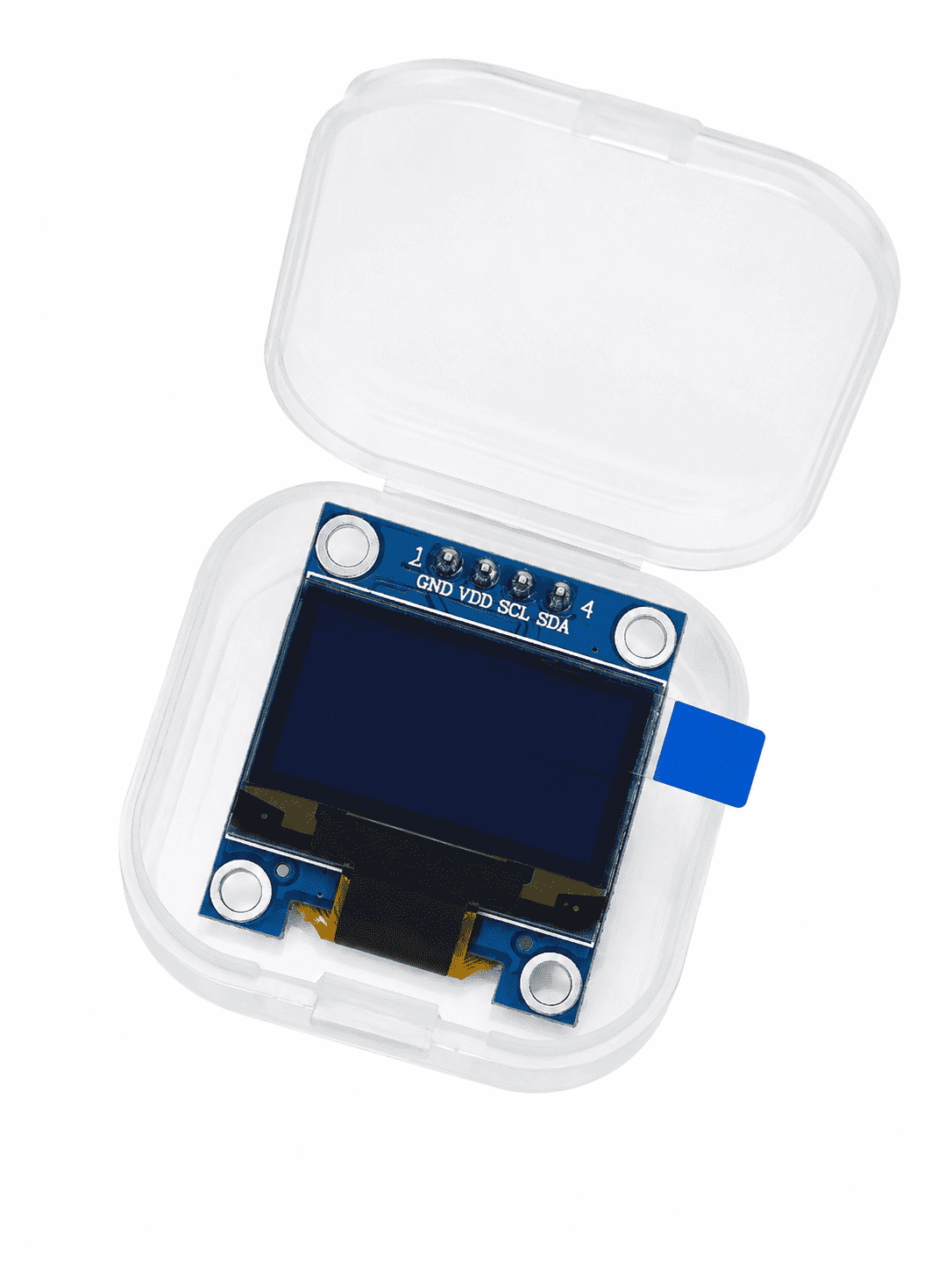
Wiring up complex displays can quickly exhaust your microcontroller’s GPIO pins. This module eliminates that problem by utilizing the Inter-Integrated Circuit (I2C) communication bus. With only two data lines needed—Serial Data (SDA) and Serial Clock (SCL)—along with VCC and GND, you can control the entire screen using just 4 pins.
Ultra-Wide Viewing Angle
Standard screens fade or distort when viewed from the side. This OLED display boasts a superior viewing angle of greater than 160°, allowing you to read crucial telemetry or data metrics clearly from almost any perspective.
Technical Specifications
| Parameter | Specification |
| Screen Size | 0.96 Inch |
| Resolution | $128 \times 64$ Pixels |
| Display Technology | OLED (Organic Light-Emitting Diode) |
| Emitting Color | Blue |
| Driver Controller IC | SSD1306 |
| Communication Interface | I2C (TWI) |
| Operating Voltage | 3.3V to 5.0V DC |
| Viewing Angle | > 160 Degrees |
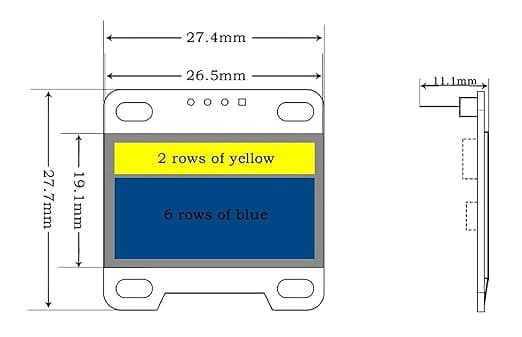
| Module Dimensions | Approx. 27mm x 27mm x 4mm |
| Pin Configuration | VCC, GND, SCL, SDA |
Broad Microcontroller Compatibility
Whether you are spinning up a quick prototype or manufacturing a custom PCB, the 0.96″ Blue I2C OLED Display Module (128×64) plays nice with virtually every major development ecosystem:
Arduino Ecosystem: Fully compatible with the Arduino Uno, Nano, Mega, and Leonardo. It works out-of-the-box with popular open-source graphics libraries like
Adafruit_SSD1306andU8g2.ESP32 & ESP8266: Ideal for internet-connected IoT dashboards. The module’s native 3.3V logic level compatibility matches these modern chips perfectly.
Raspberry Pi & Pi Pico: Easily scriptable via Python or C/C++ scripts using the standard I2C buses.
Versatile Practical Applications
Thanks to its minimal footprint and exceptional readability, the 0.96″ Blue I2C OLED Display Module (128×64) is widely integrated into diverse hardware projects:
IoT & Smart Weather Stations
Display real-time environmental metrics such as temperature, ambient humidity, barometric pressure, and Wi-Fi signal strength right at your desk.
Portable Instrumentation & Diagnostics
Build custom multimeters, battery capacity checkers, components testers, or localized data loggers that require field readability without exhausting portable battery packs.
Robotics & Smart Interfaces
Give your autonomous rovers an interactive face, print real-time error codes, track ultrasonic distance readings, or design multi-level scrollable navigation menus using basic tactile pushbuttons or rotary encoders.
Tips for Quick Hardware Initialization
To quickly get up and running inside the Arduino IDE, follow these steps:
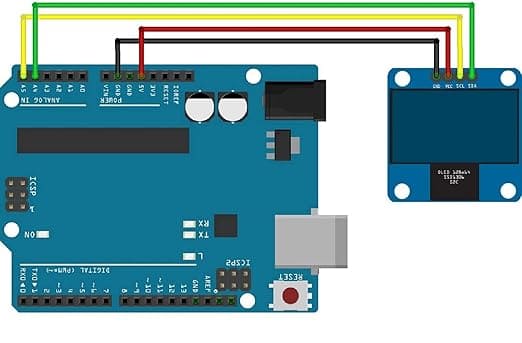
Wiring Connection: Connect GND to GND, VCC to 5V or 3.3V, SDA to A4 (on Arduino Uno), and SCL to A5 (on Arduino Uno).
Library Installation: Open your Library Manager and search for Adafruit SSD1306 and Adafruit GFX. Install both.
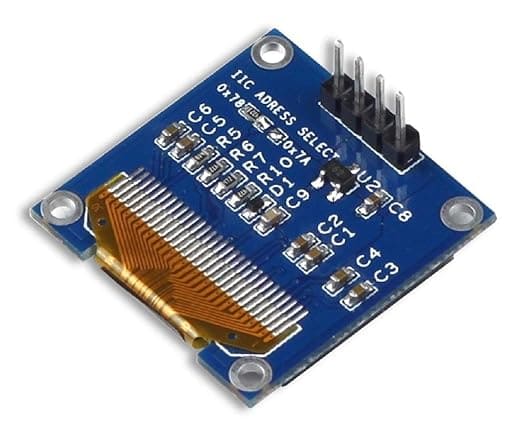
Check I2C Address: Most modules ship with a default I2C hexadecimal address of
0x3Cor0x3D. You can verify or alter this via the onboard hardware jumper resistor on the back of the PCB if you plan to chain multiple displays together.Run Example Sketch: Open
File > Examples > Adafruit SSD1306 > ssd1306_128x64_i2cto instantly run a demo animation and confirm proper initialization.
| Weight | 0.50 kg |
|---|---|
| Dimensions | 0.70 × 0.22 × 0.18 cm |
Reviews
There are no reviews yet.