
- Empty cart.
- Continue Shopping
OLED vs LCD: 7 Key Differences to Make the Right Choice
- Posted on
 Deepak Joshi
- 0
- Categories: Electronics Components

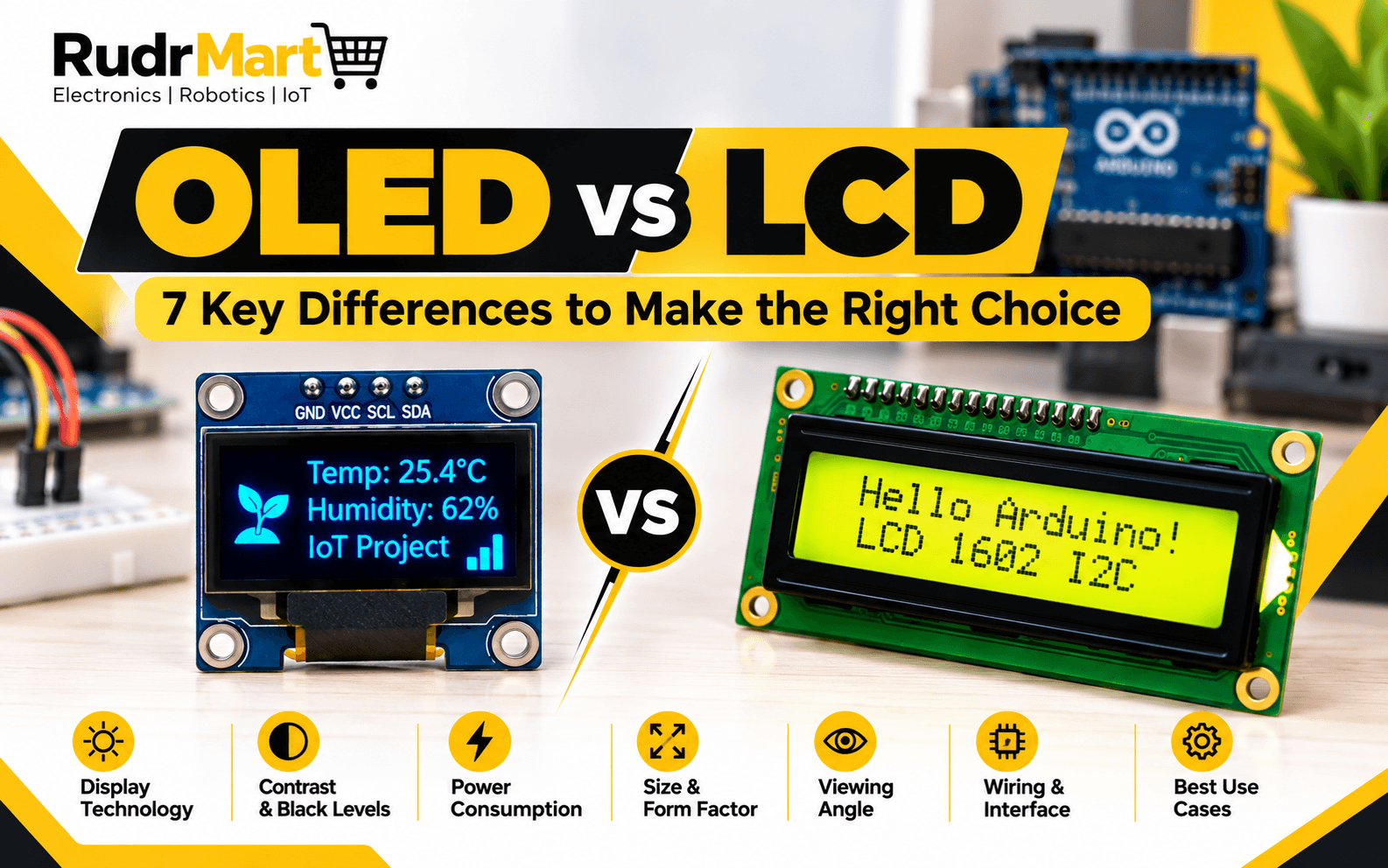
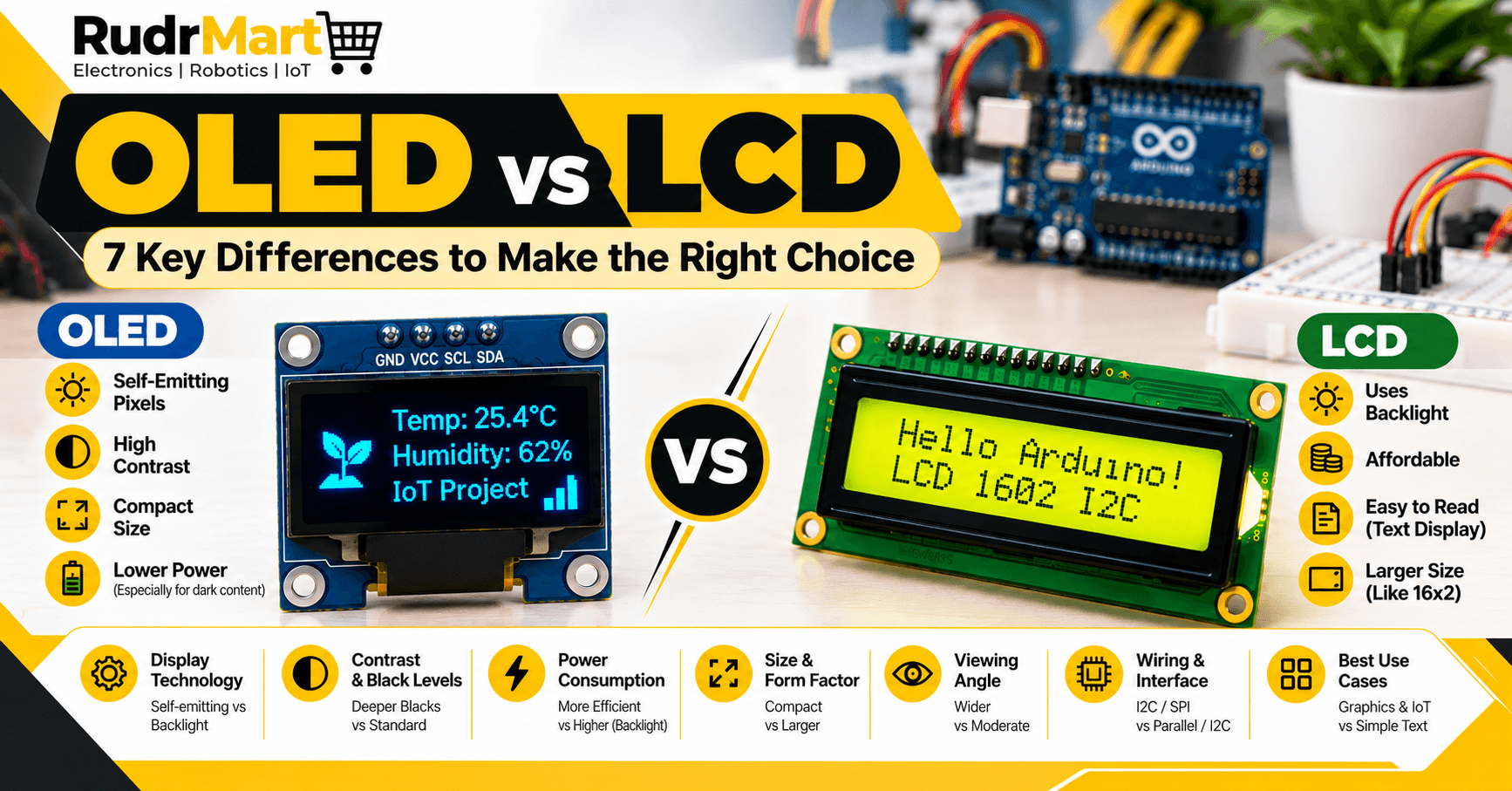
Choosing the right display can make a big difference in an electronics, Arduino, robotics, or IoT project. Two of the most commonly used display technologies are OLED vs LCD.
Both displays can show text, numbers, sensor readings, menus, and other information. However, they work differently and have different strengths when it comes to contrast, power consumption, viewing angle, size, wiring, and applications.
In this guide, we will compare OLED and LCD displays and explain which type can be suitable for different electronics projects.
Table of Contents
- What Is an OLED Display?
- What Is an LCD Display?
- OLED vs LCD: 7 Key Differences
- OLED vs LCD for Arduino Projects
- OLED vs LCD for IoT Projects
- When Should You Choose OLED?
- When Should You Choose LCD?
- Final Comparison Table
- Conclusion
What Is an OLED Display?
OLED stands for Organic Light-Emitting Diode. Unlike traditional LCD technology, an OLED display does not require a separate backlight.
Each pixel can produce its own light. When a pixel needs to display black, it can simply remain off. This allows OLED screens to provide strong contrast and deep blacks.
Small I2C OLED modules are particularly popular in DIY electronics because they are compact and require only a few connections.
For example, RudrMart offers a 0.96-inch 128×64 I2C OLED display using an SSD1306 controller. The module can be used with Arduino, ESP32, ESP8266, and other compatible development boards.
Another option is the 1.3-inch I2C OLED display, which uses the SH1106 controller and provides a larger display area while maintaining a compact form factor.
These displays are useful for showing sensor values, battery information, system status, small menus, and other project data.
[Internal Link: 0.96″ Blue I2C OLED Display Module (128×64)]
What Is an LCD Display?
LCD stands for Liquid Crystal Display. LCDs use liquid crystals to control how light passes through the display. Traditional LCD modules generally require a backlight to make the characters or graphics visible.
One popular option for electronics projects is the 1602 LCD, which can display 16 characters across two rows.
LCD modules have been used with Arduino and other microcontrollers for many years because they are affordable, easy to understand, and suitable for displaying basic information.
RudrMart also offers an LCD 1602 I2C module and LCD I2C adapter boards, making these displays useful for projects where simple text output is required.
[Internal Link: LCD 1602 I2C Module]
OLED vs LCD: 7 Key Differences
Understanding the major differences between OLED vs LCD display technologies can help you choose the right component for your project.
1. Display Technology
The first difference is how the displays produce an image.
OLED pixels are self-emitting. Each pixel produces its own light, so a separate backlight is not required.
LCDs generally use a backlight behind the liquid-crystal layer. The liquid crystals control how the light passes through the display.
This difference affects several other characteristics, including contrast, thickness, and power consumption.
2. Contrast and Black Levels
OLED displays are known for excellent contrast because individual pixels can be turned off completely.
When an OLED pixel is off, it does not emit light. As a result, black areas can appear very dark.
LCD displays normally rely on a backlight, so producing deep black can be more difficult because some light may still pass through the display.
For projects where high contrast and clear graphics are important, OLED can be a useful option.
3. Power Consumption
Power consumption depends on the particular display, brightness, content, and operating conditions, so it should always be checked against the manufacturer’s specifications.
However, OLED technology can be efficient for applications that frequently display dark content because pixels can remain off when they are not needed.
LCD modules use a backlight, which consumes power while the display is operating.
For battery-powered IoT devices, portable instruments, and compact electronics, power consumption can therefore be an important consideration when choosing between OLED and LCD.
4. Size and Form Factor
OLED modules are commonly available in very small sizes, making them useful when space is limited.
A compact 0.96-inch OLED can fit easily into small enclosures, portable devices, robotics projects, and sensor-monitoring systems.
LCD modules such as the 1602 are physically larger and are particularly useful when you need simple text that is easy to read.
If your project has limited space, a small OLED can be convenient. If physical size is less important and you need straightforward character output, an LCD can still be a practical choice.
5. Viewing Angle
Viewing angle is another important factor.
OLED displays generally provide wide viewing angles because each pixel produces its own light.
This can be useful in robotics dashboards, portable instruments, and IoT devices where the display may be viewed from different directions.
LCD viewing angles vary considerably depending on the panel and technology used. Therefore, the specifications of the particular LCD module should be checked before selecting it for a project.
6. Interface and Wiri
Many modern small OLED modules use the I2C interface.
I2C allows the display to communicate with a microcontroller using two main communication lines:
- SDA — Serial Data
- SCL — Serial Clock
Along with power and ground, this can result in a simple four-pin connection.
RudrMart’s I2C OLED modules are designed around this type of connection.
LCD modules can also be used with I2C through an adapter board. RudrMart’s LCD I2C products provide a convenient way to reduce the number of microcontroller pins needed for communication.
Arduino provides official documentation for connecting LCDs and using the LiquidCrystal library.
[External DoFollow Link: Arduino — Use an LCD with Arduino]
7. Cost and Project Requirements
Cost can vary depending on screen size, controller, resolution, interface, and supplier.
For a simple project that only needs to display text such as temperature, humidity, status messages, or menu options, a character LCD can be enough.
For compact projects that need graphics, icons, custom fonts, or a modern-looking interface, an OLED can provide more flexibility.
Instead of choosing a display only by price, consider the complete project requirements:
- Available space
- Required resolution
- Type of information
- Power source
- Communication interface
- Microcontroller compatibility
- Software/library support
- Budget
OLED vs LCD for Arduino Projects
Both technologies can work well with Arduino boards.
An LCD 1602 is a popular option for beginner projects because its character-based output is straightforward. It can display information such as:
Temperature: 28°C
Humidity: 62%
Arduino provides documentation for using LCDs with the LiquidCrystal library.
OLED displays can provide more flexibility when a project needs graphical information. Depending on the controller, libraries such as Adafruit SSD1306 or U8g2 can be used to display text, graphics, icons, and custom interfaces.
For example, a small OLED can be used to create:
- Sensor dashboards
- Battery monitors
- Digital clocks
- Mini weather stations
- Robotics status displays
- Portable measurement devices
- IoT device interfaces
Arduino — Use an LCD with Arduino
OLED vs LCD for IoT Projects
IoT devices often need a small display to provide local information even when the main data is being sent through Wi-Fi, GSM, Ethernet, or another communication system.
An OLED can be useful when the device is compact and needs a graphical interface.
For example, an ESP32-based IoT device could display:
Wi-Fi: Connected
Temperature: 27°C
Humidity: 58%
Signal: Good
An LCD can also perform this job effectively, especially when the information is primarily text.
The choice depends on the project’s physical size, interface requirements, power budget, and desired appearance.
When Should You Choose OLED?
An OLED display can be a suitable choice when your project needs:
- A compact display
- High contrast
- Wide viewing angles
- Graphical information
- Icons or custom graphics
- A modern interface
- A small number of connection pins through I2C
- A portable or compact design
For example, a small robotics project could use an OLED to display battery percentage, sensor readings, motor status, or connection information.
When Should You Choose LCD?
An LCD can be a suitable choice when your project needs:
- Simple text output
- A familiar character-based interface
- Easy-to-read status information
- A cost-conscious solution
- A relatively simple Arduino display
- Two-line or multi-line text information
An LCD 1602 is particularly useful for beginner electronics projects and applications where advanced graphics are not necessary.
OLED vs LCD: Quick Comparison
| Feature | OLED | LCD |
|---|---|---|
| Full Form | Organic Light-Emitting Diode | Liquid Crystal Display |
| Backlight | Not required | Generally required |
| Black Level | Excellent | Depends on panel |
| Contrast | Generally high | Depends on panel |
| Viewing Angle | Generally wide | Depends on panel |
| Size | Compact options available | Many sizes available |
| Graphics | Excellent for small graphical interfaces | Depends on display type |
| Simple Text | Yes | Excellent |
| I2C Options | Common | Available through I2C modules/adapters |
| Arduino Compatibility | Yes | Yes |
| IoT Applications | Yes | Yes |
| Robotics Applications | Yes | Yes |
Which Display Is Better for Your Project?
There is no single display that is correct for every project OLED vs LCD.
If you are building a compact IoT device, robotics dashboard, portable instrument, or graphical interface, an OLED may be a suitable option.
If you are building a beginner Arduino project, simple monitoring system, or text-based interface, an LCD can be a practical choice.
The most important thing is to match the display with your project’s requirements instead of choosing only based on appearance or price.
Conclusion
OLED vs LCD is not simply a competition between two display technologies. Both have their own applications and advantages.
OLED displays are particularly useful for compact projects that require high contrast, graphical output, and a modern interface. LCD displays remain useful for simple text-based applications, Arduino projects, and systems where a straightforward character display is sufficient.
RudrMart offers both OLED and LCD display options, allowing makers, students, engineers, and developers to select a display according to their project requirements.
Whether you are building an Arduino project, robotics system, IoT device, or DIY electronics prototype, choosing the right display can make your project easier to use and understand.
Explore display modules at RudrMart and choose the one that fits your next electronics project.
Frequently Asked Questions (FAQs)
1. What is the main difference between OLED and LCD?
The main difference is how they produce light. OLED pixels produce their own light, while LCD displays generally use a backlight. This difference affects contrast, black levels, viewing angles, and power consumption.
2. Is OLED better than LCD for Arduino projects?
It depends on the project. OLED is useful when you need a compact display, graphics, icons, or high contrast. LCD can be a practical choice when you mainly need simple text such as sensor readings, values, or status messages.
3. Can I connect an OLED display to Arduino?
Yes. Many small OLED modules use the I2C interface and can be connected to compatible Arduino boards using SDA and SCL communication lines. Always check the voltage and controller specifications of the specific module before connecting it.
4. Can an LCD display work with Arduino?
Yes. Character LCD modules such as the 1602 are widely used with Arduino. An I2C adapter can also be used with compatible LCDs to simplify wiring and reduce the number of Arduino pins required.
5. Which display uses less power, OLED or LCD?
Power consumption depends on the specific display, brightness, content, and operating conditions. OLED can be efficient when displaying darker content because individual pixels can be turned off, while LCD displays normally keep their backlight active.
6. Can OLED displays show graphics?
Yes. Many OLED modules can display text, icons, shapes, and other simple graphics. This makes them useful for dashboards, portable devices, robotics projects, and IoT interfaces.
7. Which display is easier for beginners?
Both can be beginner-friendly. A 1602 LCD is a straightforward option for projects that only need character-based text. An I2C OLED can also be relatively simple to use, particularly when supported by established Arduino libraries.
8. Can OLED and LCD displays be used in IoT projects?
Yes. Both can be used to display information locally on an IoT device. For example, an ESP32-based project can use a display to show temperature, humidity, Wi-Fi status, sensor readings, or other device information.
9. What does I2C mean in a display module?
I2C is a communication protocol that allows compatible devices to communicate using two main signal lines: SDA for data and SCL for the clock signal. I2C display modules can therefore simplify wiring between a display and a microcontroller.
10. Which display should I choose for my project?
Choose the display based on your requirements. Consider screen size, resolution, graphics capability, power consumption, interface, available space, microcontroller compatibility, and budget.
For a compact graphical interface, an OLED can be a suitable option. For straightforward text-based output, an LCD 1602 can be a practical choice.
11. Does RudrMart sell both OLED and LCD displays?
Yes. RudrMart’s electronics catalogue includes OLED display modules as well as LCD products such as LCD 1602 I2C modules and LCD I2C adapter boards. This gives makers different options for Arduino, robotics, IoT, and DIY electronics projects.
12. Can the same Arduino libraries be used for OLED and LCD?
Generally, no. OLED modules and LCD modules often use different controllers and therefore use different libraries. The appropriate library depends on the specific display and controller, so check the product documentation before programming.
Arduino DisplayArduino ProjectsDisplay ModuleElectronics ProjectsI2C DisplayIoT DisplayIoT ProjectsLCD 1602LCD DisplayOLED DisplayOLED ModuleOLED vs LCDrudrmart
