- Empty cart.
- Continue Shopping
Arduino vs ESP32 vs Raspberry Pi: Which One Should You Choose for Your Project?
- Posted on
 Deepak Joshi
- 0
- Categories: Embedded Systems,Development Boards,IoT,Robotics

Introduction
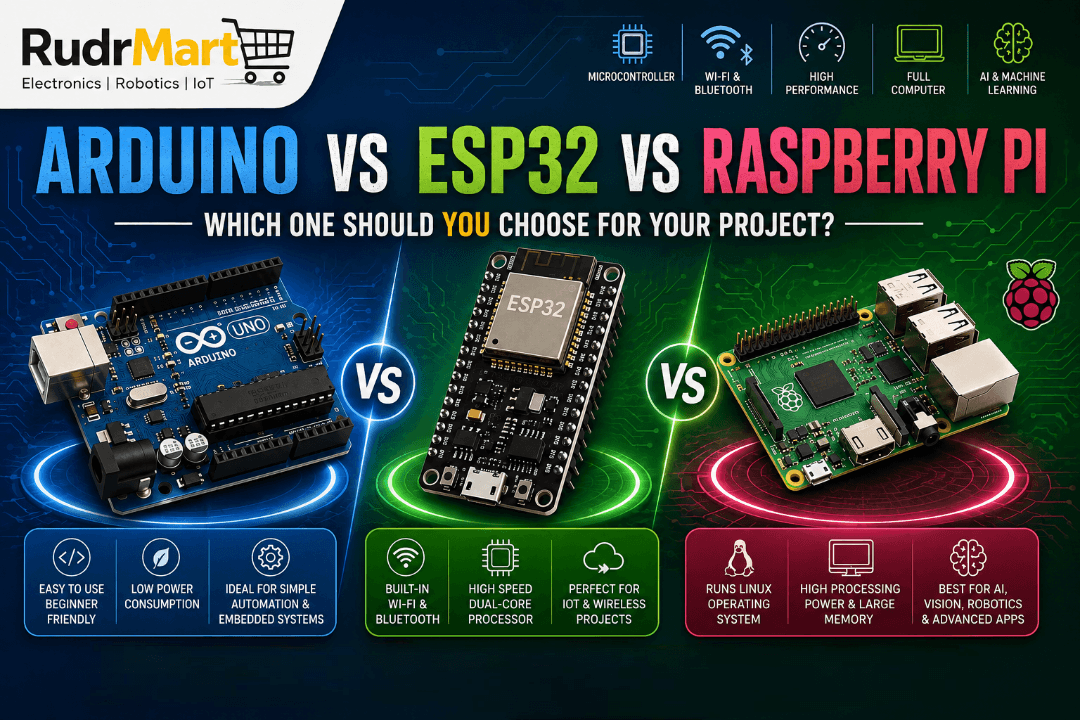
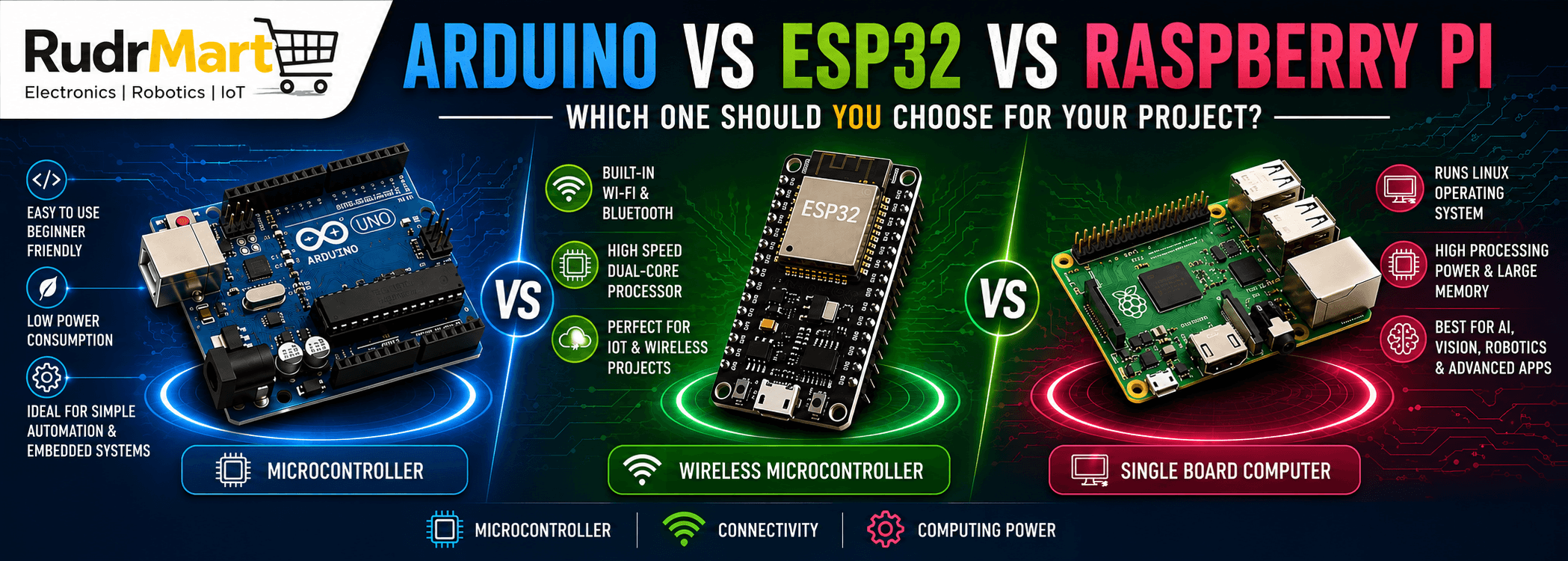
Arduino vs ESP32 vs Raspberry Pi is one of the most common comparisons for beginners, makers, students, and professionals working on electronics, IoT, robotics, and embedded systems. Each platform has unique strengths—Arduino is ideal for simple embedded applications, ESP32 excels in wireless IoT projects, and Raspberry Pi provides the power of a full-fledged single-board computer.
Choosing the right development board depends on your project requirements, including processing power, connectivity, power consumption, programming environment, and budget. In this comprehensive comparison, we’ll explore the differences between Arduino, ESP32, and Raspberry Pi to help you determine which board is the best choice for your next electronics project.
Arduino vs ESP32 vs Raspberry Pi: Quick Comparison
| Feature | Arduino Uno | ESP32 | Raspberry Pi |
|---|---|---|---|
| Type | Microcontroller | Microcontroller | Single Board Computer |
| Processor | ATmega328P (16 MHz) | Dual-Core Xtensa (Up to 240 MHz) | Quad-Core ARM (1.5 GHz+) |
| RAM | 2 KB | 520 KB SRAM | 2GB–8GB RAM |
| Flash Memory | 32 KB | 4 MB+ | MicroSD Storage |
| Operating System | No | No | Linux OS |
| Wi-Fi | ❌ | ✅ Built-in | ✅ Built-in |
| Bluetooth | ❌ | ✅ Built-in | ✅ Built-in |
| GPIO Pins | 14 Digital + 6 Analog | Up to 34 GPIO | 40 GPIO |
| Power Consumption | Very Low | Low | Higher |
| Programming Languages | C/C++ | C++, MicroPython | Python, C++, Java, Node.js and more |
| Price | Low | Affordable | Higher |
Understanding the Difference
Before comparing them in detail, it’s important to understand that these boards belong to different categories.
Arduino
Arduino is a microcontroller board. It executes one program repeatedly and is ideal for controlling sensors, motors, displays, and embedded hardware.
Think of Arduino as a dedicated machine designed to perform one specific task very efficiently.
ESP32
ESP32 is also a microcontroller, but much more powerful than traditional Arduino boards.
It includes:
- Built-in Wi-Fi
- Bluetooth
- Dual-core processor
- More GPIO pins
- Higher processing speed
ESP32 is designed specifically for Internet of Things (IoT) applications.
Raspberry Pi
Raspberry Pi is a mini computer.
Unlike Arduino or ESP32, Raspberry Pi can:
- Run Linux
- Connect to monitors
- Use keyboards and mouse
- Browse the internet
- Install software
- Run multiple applications simultaneously
It is suitable for projects requiring significant computing power.
Processing Power Comparison
Arduino
- 8-bit microcontroller
- 16 MHz clock speed
- Excellent for simple control tasks
- Limited computational capability
Ideal for:
- LED control
- Motor control
- Sensors
- Basic automation
ESP32
- 32-bit dual-core processor
- Up to 240 MHz
- Much faster than Arduino
- Handles multiple tasks efficiently
Suitable for:
- IoT devices
- Wireless communication
- Data logging
- Smart devices
Raspberry Pi
- Quad-core ARM processor
- Up to 2.4 GHz (latest models)
- Comparable to entry-level desktop computers
Perfect for:
- AI projects
- Computer vision
- Media servers
- Web hosting
- Robotics
- Machine learning
Memory Comparison
| Board | RAM | Storage |
|---|---|---|
| Arduino Uno | 2 KB | 32 KB Flash |
| ESP32 | 520 KB SRAM | 4 MB Flash |
| Raspberry Pi | 2GB–8GB RAM | MicroSD Card |
Memory directly affects how complex your applications can be.
If your project involves image processing, databases, or AI, Raspberry Pi is the clear winner.
Arduino vs ESP32 vs Raspberry Pi Connectivity Features
Arduino
Built-in:
- USB
Requires external modules for:
- Wi-Fi
- Bluetooth
- Ethernet
- GSM
ESP32
Built-in:
- Wi-Fi
- Bluetooth
- SPI
- I2C
- UART
- PWM
- ADC
- DAC
- Touch Sensors
ESP32 eliminates the need for additional wireless modules.
Raspberry Pi
Built-in:
- Wi-Fi
- Bluetooth
- Ethernet (selected models)
- HDMI
- USB Ports
- Camera Interface
- Display Interface
- Audio
- GPIO
Raspberry Pi offers desktop-level connectivity.
Programming Difficulty
Arduino
Programming language:
- C/C++
Software:
- Arduino IDE
Learning Curve:
⭐⭐⭐⭐⭐ Easy
Perfect for beginners.
ESP32
Programming Languages:
- Arduino C++
- MicroPython
- ESP-IDF
Learning Curve:
⭐⭐⭐⭐ Medium
Slightly more advanced than Arduino.
Raspberry Pi
Programming Languages:
- Python
- C++
- Java
- JavaScript
- Go
- Rust
- Node.js
Operating System:
Linux
Learning Curve:
⭐⭐⭐ Moderate
Requires knowledge of Linux basics.
Power Consumption
| Board | Typical Consumption |
|---|---|
| Arduino | Very Low |
| ESP32 | Low |
| Raspberry Pi | High |
For battery-operated devices, Arduino and ESP32 are significantly better choices.
GPIO Capabilities
Arduino
- Digital Pins
- Analog Inputs
- PWM Outputs
Suitable for:
- Basic electronics
- Sensor interfacing
ESP32
Supports:
- ADC
- DAC
- PWM
- Capacitive Touch
- Hall Sensor
- Multiple UART
- SPI
- I2C
Excellent for advanced embedded systems.
Raspberry Pi
Provides:
- 40 GPIO Pins
- SPI
- I2C
- UART
- PWM
However, Raspberry Pi lacks built-in analog input, requiring an external ADC for analog sensors.
Arduino vs ESP32 vs Raspberry Pi for IoT Projects
| Feature | Arduino | ESP32 | Raspberry Pi |
|---|---|---|---|
| Wi-Fi | External Module | Built-in | Built-in |
| Bluetooth | External Module | Built-in | Built-in |
| MQTT | Supported | Excellent | Excellent |
| Cloud Integration | Good | Excellent | Excellent |
ESP32 is widely regarded as one of the best choices for IoT development due to its integrated wireless connectivity, low power consumption, and affordability.
Robotics Applications
Arduino
Best for:
- Motor drivers
- Servo control
- Line-following robots
- Obstacle avoidance
ESP32
Suitable for:
- Wireless robots
- Remote-controlled vehicles
- Smart robots
- Sensor-rich robotic systems
Raspberry Pi
Ideal for:
- AI robots
- Camera-based robots
- Face recognition
- Autonomous navigation
- ROS (Robot Operating System)
AI and Machine Learning
| Capability | Arduino | ESP32 | Raspberry Pi |
|---|---|---|---|
| AI | Limited | TinyML | Full AI Support |
| Image Recognition | ❌ | Limited | ✅ |
| OpenCV | ❌ | ❌ | ✅ |
| TensorFlow Lite | Limited | Supported | Full Support |
For AI applications, Raspberry Pi is the preferred platform.
Cost Comparison
| Board | Approximate Price (India) |
|---|---|
| Arduino Uno | ₹500–₹900 |
| ESP32 | ₹450–₹900 |
| Raspberry Pi | ₹4,000–₹10,000+ |
Prices vary depending on the model, memory configuration, and availability.
Which One Should You Choose?
Choose Arduino if:
- You’re a beginner.
- You want to learn embedded programming.
- Your project is simple.
- Battery life is important.
- You only need to control sensors or actuators.
Examples:
- Automatic plant watering
- Traffic light controller
- Temperature monitor
- LED cube
- Basic robotics
Choose ESP32 if:
- You need Wi-Fi or Bluetooth.
- You’re building IoT devices.
- You require faster processing.
- You want wireless communication.
- Your project should remain power-efficient.
Examples:
- Smart home automation
- Weather stations
- Smart locks
- IoT dashboards
- Wireless sensor networks
Choose Raspberry Pi if:
- You need a full operating system.
- Your project involves AI or machine learning.
- You need a graphical interface.
- You require camera processing.
- Your project runs multiple applications.
Examples:
- AI surveillance system
- Home server
- Smart mirror
- Media center
- Industrial automation gateway
- Edge computing device
Can You Use Them Together?
Absolutely!
Many advanced projects combine these platforms to leverage their strengths.
Example Architecture
- Arduino reads sensors and controls actuators.
- ESP32 transmits data wirelessly to the cloud.
- Raspberry Pi processes the data, hosts a dashboard, or performs AI analysis.
This combination is common in industrial IoT, automation systems, and robotics.
Arduino vs ESP32 vs Raspberry Pi: Pros and Cons
Arduino
Pros
- Beginner-friendly
- Reliable
- Low power consumption
- Large community support
- Extensive library ecosystem
Cons
- No built-in wireless connectivity
- Limited memory and processing power
- Not suitable for complex applications
ESP32
Pros
- Built-in Wi-Fi and Bluetooth
- High performance
- Affordable
- Low power usage
- Rich peripheral support
Cons
- More complex than Arduino
- Fewer analog inputs than some Arduino boards
- Requires careful power management in advanced applications
Raspberry Pi
Pros
- Desktop-class performance
- Runs Linux
- Supports AI, databases, and networking
- Multiple programming language options
- HDMI, USB, camera, and display interfaces
Cons
- Higher power consumption
- Longer boot time
- More expensive
- Less suitable for real-time control without additional hardware
Final Verdict
There is no single “best” development board—only the one that best fits your project requirements.
- Choose Arduino for simple embedded systems, educational projects, and low-power automation.
- Choose ESP32 for IoT applications, wireless communication, and connected smart devices.
- Choose Raspberry Pi when you need the capabilities of a full computer, including AI, image processing, web servers, or advanced robotics.
Understanding the strengths and limitations of each platform will help you save time, reduce costs, and build more reliable projects.
Buy More Components on Rudr Mart
Frequently Asked Questions (FAQs)
1. Is ESP32 better than Arduino?
It depends on your application. ESP32 offers significantly more processing power, built-in Wi-Fi, and Bluetooth, making it ideal for IoT projects. Arduino remains an excellent choice for beginners and simple embedded applications.
2. Can Raspberry Pi replace Arduino?
Not entirely. Raspberry Pi is a single-board computer and is not optimized for precise real-time hardware control. Arduino is often better for directly interfacing with sensors, motors, and embedded systems.
3. Which board is best for beginners?
Arduino is generally considered the best platform for beginners due to its simple programming environment, extensive documentation, and large community support.
4. Which board is best for IoT projects?
ESP32 is one of the best choices for IoT development because it combines built-in Wi-Fi, Bluetooth, low power consumption, and strong processing capabilities in an affordable package.
5. Can I use Arduino, ESP32, and Raspberry Pi together?
Yes. Many advanced robotics and industrial IoT systems use Arduino for hardware control, ESP32 for wireless communication, and Raspberry Pi for data processing, cloud connectivity, and AI tasks.
6. Which board consumes the least power?
Arduino typically consumes the least power, followed by ESP32 (especially in deep sleep mode). Raspberry Pi consumes considerably more power because it runs a full operating system.
7. Which board is best for AI and machine learning projects?
Raspberry Pi is the best option for AI and machine learning applications due to its ability to run Linux, support frameworks like TensorFlow Lite and OpenCV, and handle more computationally intensive workloads.